Employee scheduling software

Build the schedule around how your team actually works.

ElShift brings automatic shift scheduling, staffing demand, employee preferences, work patterns, leave, weekly-hour limits, locations, and working rules into one planning workflow—so managers spend less time matching every shift by hand.

Constraint-aware workforce scheduling for real shift-based operations.
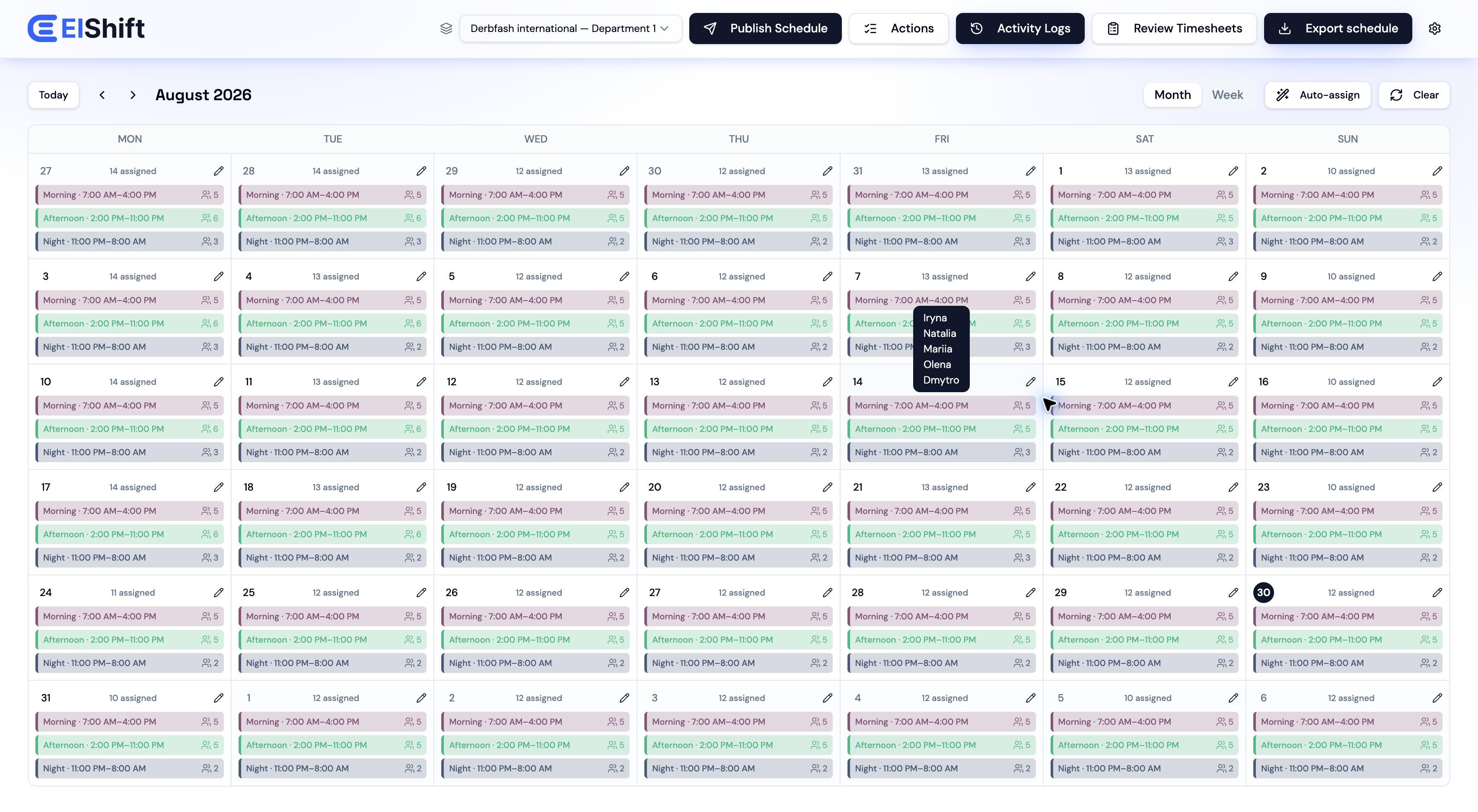
ElShift monthly employee schedule with assigned morning, afternoon, and night shifts
ElShift monthly workforce schedule
Workforce scheduling workflow

From staffing demand to a schedule your team can use.

Plan weekly coverage, run Auto-Assign, keep employee scheduling inputs in context, review hours, export schedules, and give employees a clear self-service workspace after the schedule is published.

Weekly employee scheduling

Plan the whole week in one workforce scheduling view.

See employees, shifts, dates, coverage, and schedule actions together. Managers can review the week, make targeted changes, and publish when the schedule is ready.
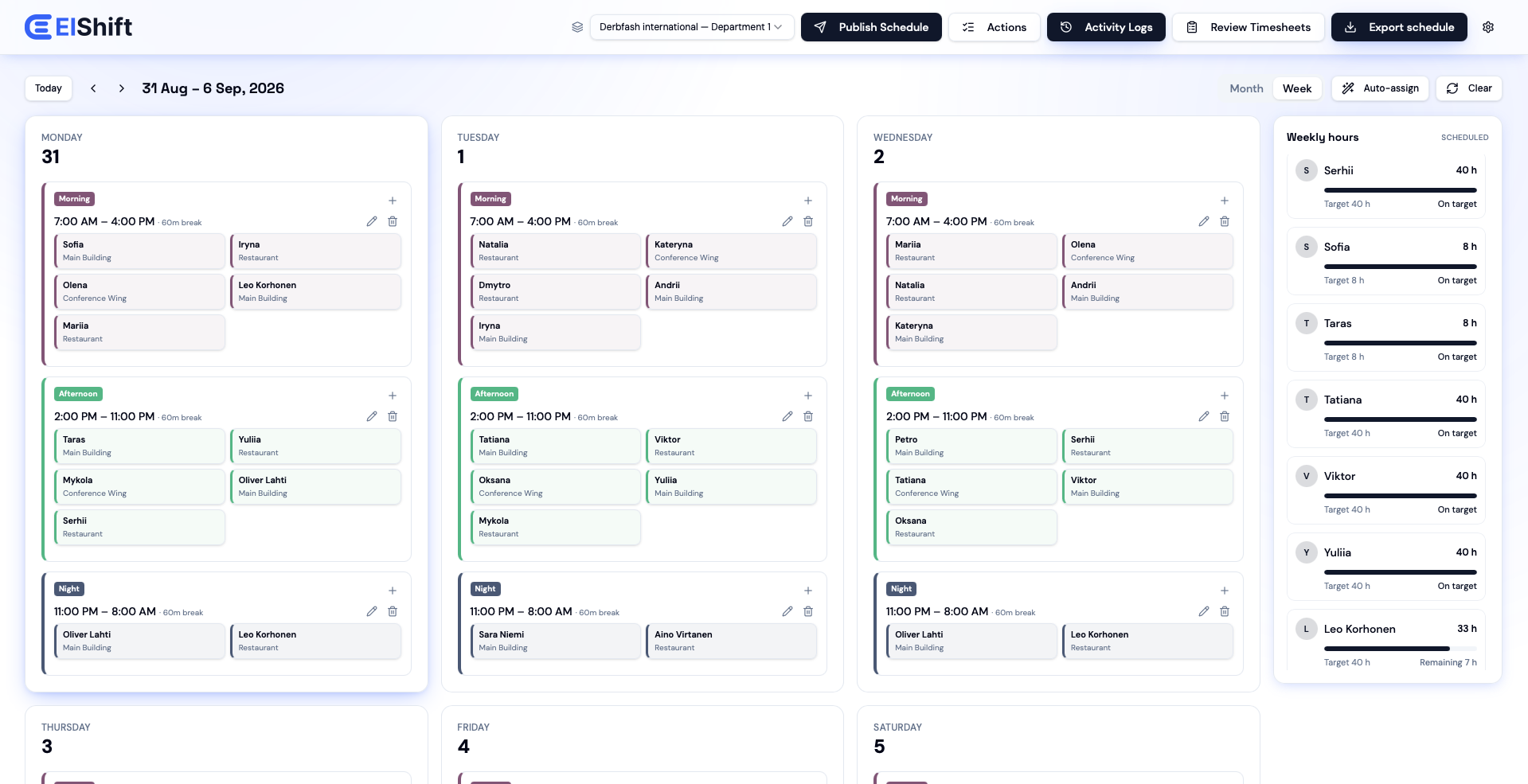
ElShift Organization Admin weekly schedule showing assigned employees, locations, shifts, and weekly-hour progress
Weekly employee schedulingPlan employees, shifts, and coverage in one weekly view.
Automatic shift scheduling

Let Auto-Assign handle the repetitive employee-to-shift matching.

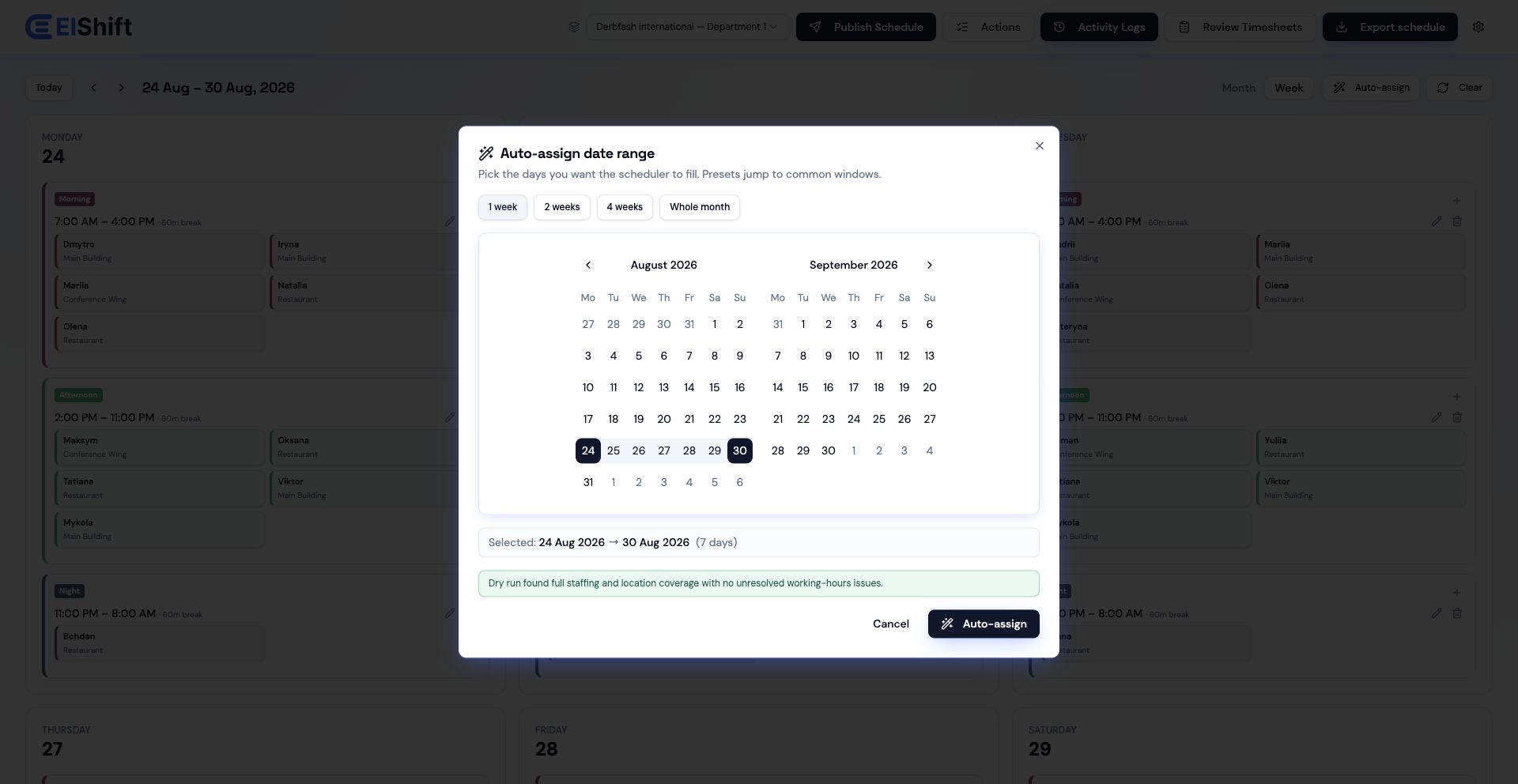
Choose the date range and let ElShift evaluate eligible employees against the scheduling conditions you have configured. When a valid assignment cannot be made, uncovered staffing stays visible for manager attention.

ElShift Auto-Assign date-range selection for automatic employee shift scheduling
Automatic shift schedulingAutomatic shift scheduling across the date range you choose.
Employee work preferences

Bring employee work preferences into shift planning.

Employees can manage weekly hours plus shift, day, and location preferences in Employee Hub, with changes sent to the manager for approval before they affect scheduling.
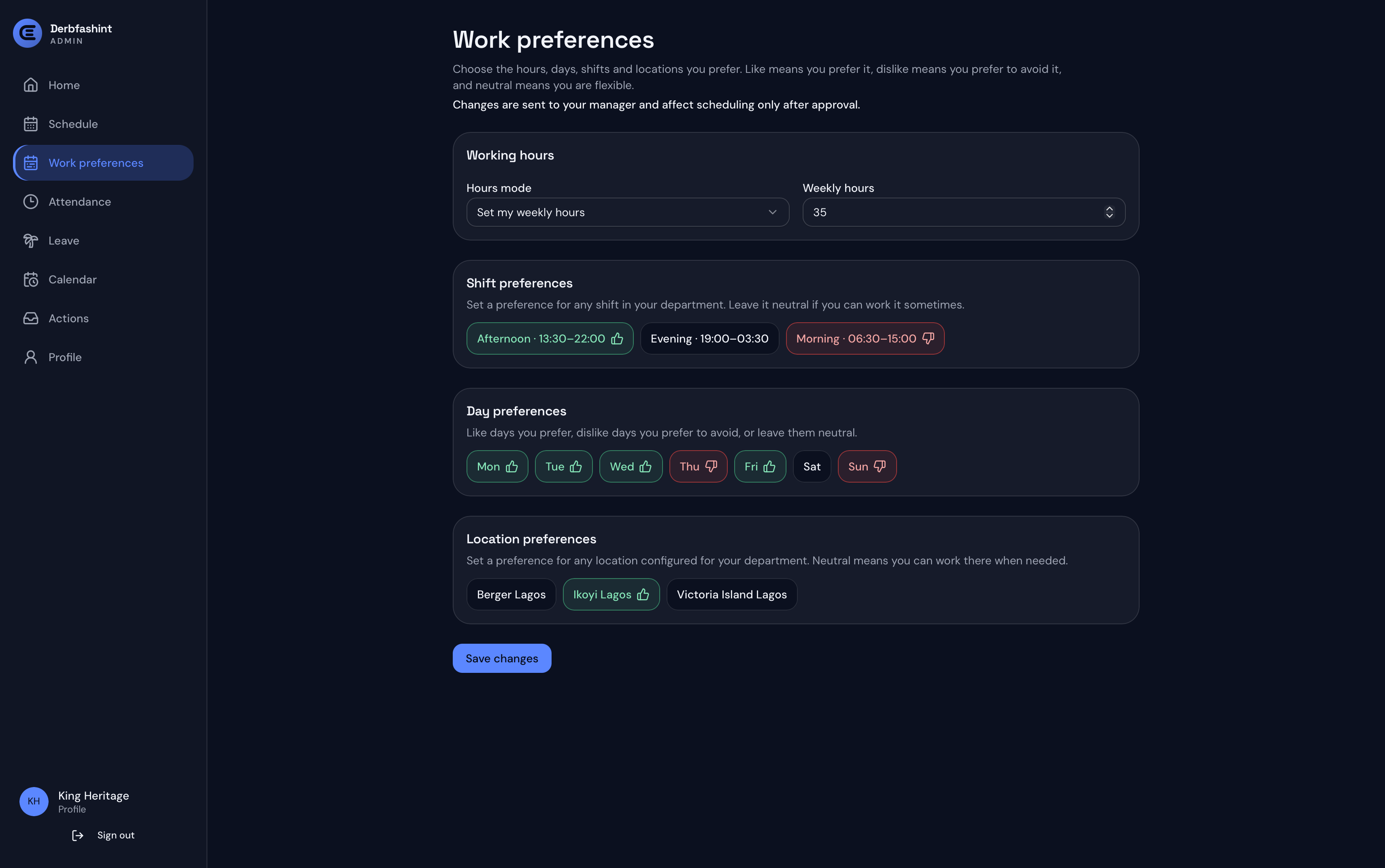
ElShift Employee Hub Work Preferences screen showing weekly hours and shift, day, and location preferences
Employee work preferencesWeekly hours, shift, day, and location preferences in Employee Hub.
Employee timesheets

Review scheduled and recorded hours before payroll.

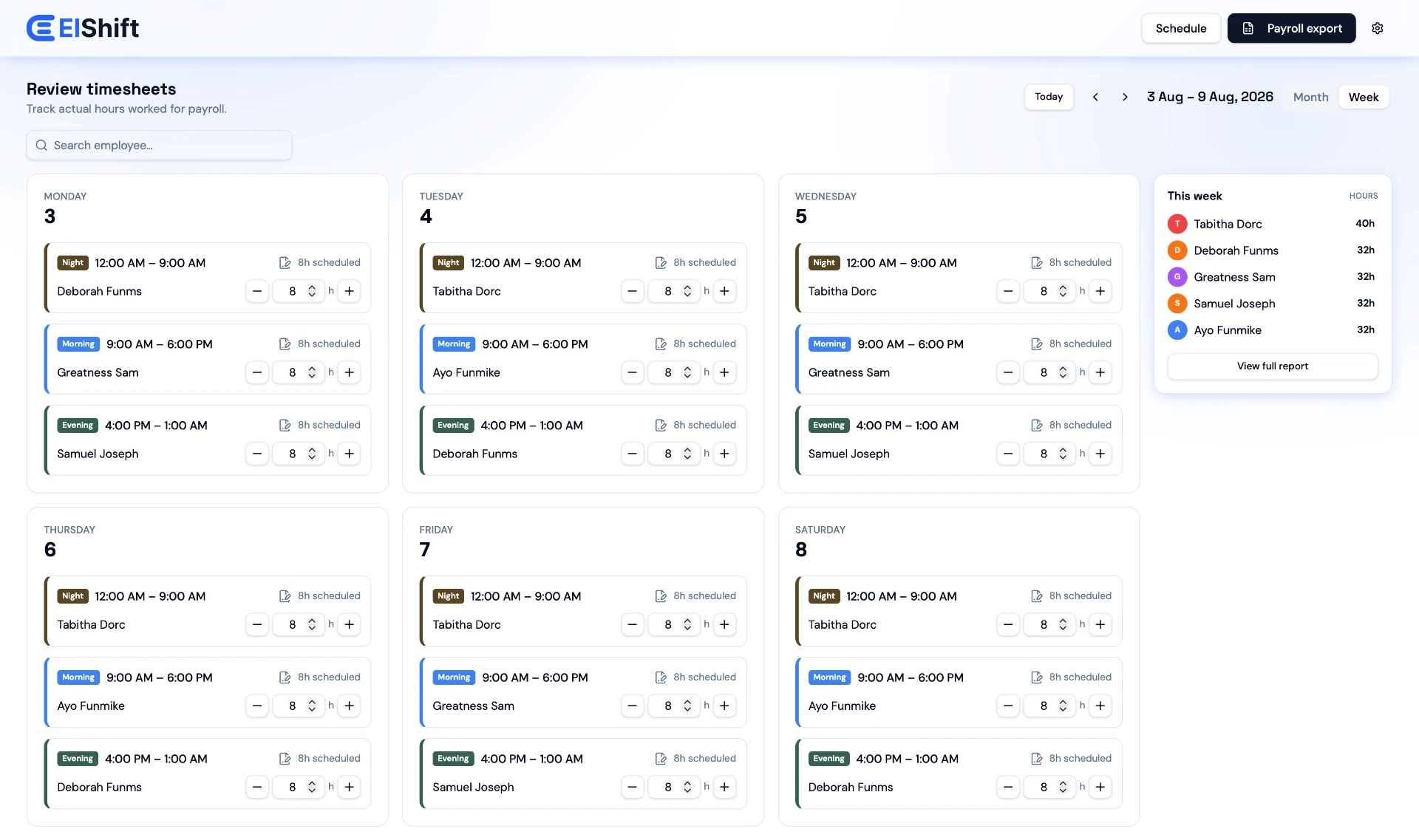
Compare weekly scheduled and recorded time by employee, review manager adjustments, and export timesheet records from the same workforce scheduling system.

ElShift employee timesheet review with scheduled and recorded weekly hours
Employee timesheetsCompare scheduled and recorded employee hours before export.
Schedule exports

Take the schedule with you in PDF, Excel, or CSV.

Export the overall schedule for the period you need, with additional all-employee and individual employee export options on eligible plans.
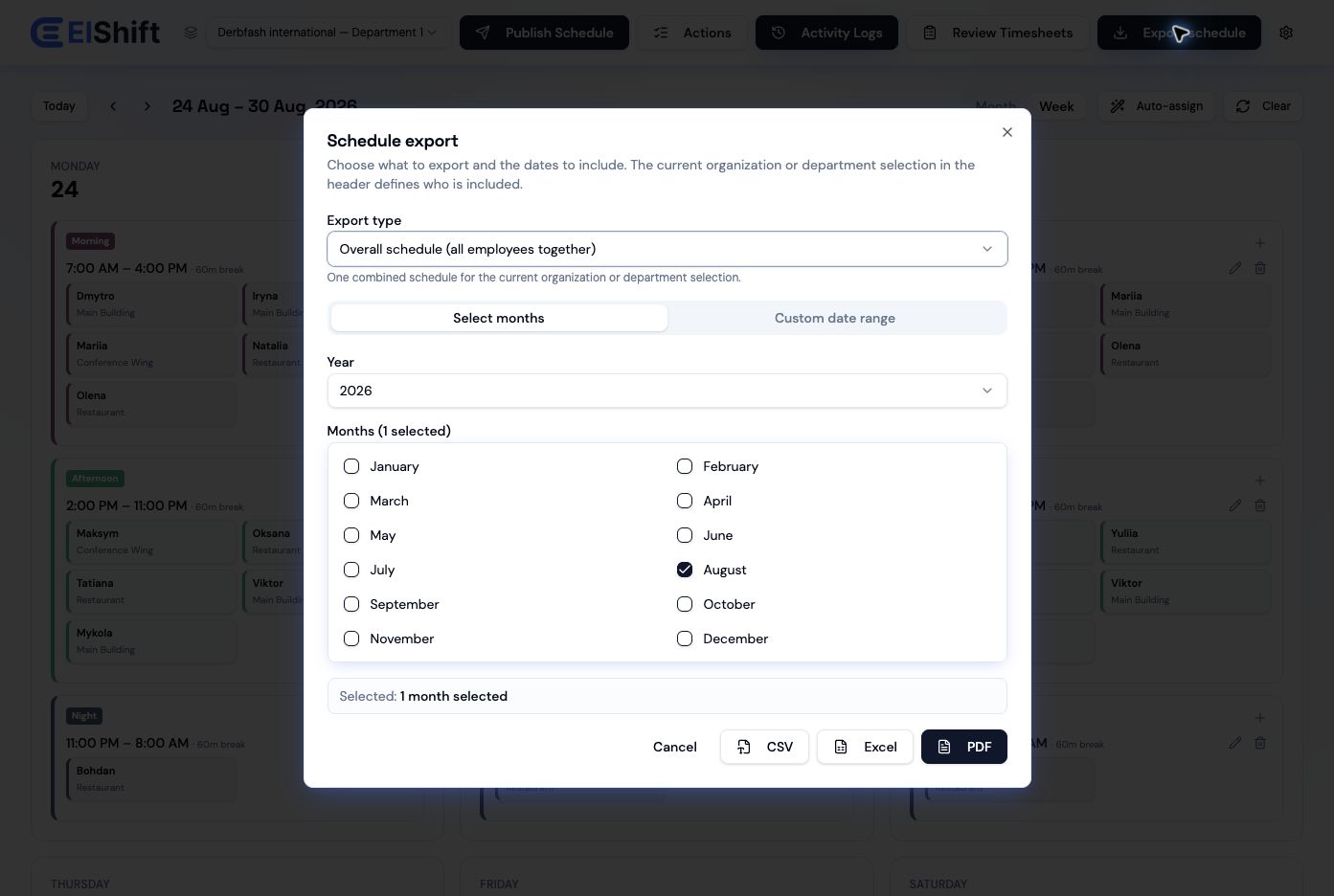
ElShift schedule export with PDF, Excel, and CSV format choices
Schedule exportsExport workforce schedules in PDF, Excel, or CSV formats.
Why ElShift

Set the scheduling logic once. Stop rebuilding it shift by shift.

ElShift is built for teams where a schedule depends on more than putting names into a calendar. Configure the operation, let Auto-Assign do the repetitive matching, and keep managers in control of review and publishing.

Schedule around real constraints

Bring staffing demand, leave, weekly-hour limits, work patterns, employee preferences, locations, and configured working rules into the assignment decision.

Reduce manual shift matching

Auto-Assign evaluates eligible employees across the selected period so managers can focus on exceptions and operational decisions instead of rebuilding every assignment by hand.

Connect managers and employees

Managers plan and publish in ElShift while Employee Hub gives staff their own schedule, attendance, leave, calendar, actions, profile, timesheets, and work preferences.

When staffing demand is feasible and the relevant rules are correctly configured, Auto-Assign is designed to complete the repetitive matching without managers manually repairing rule violations afterward.
See pricing
Employee Hub calendar

Keep published work activity in one clear calendar.

Employees can view published shifts, time off, swaps, and timesheets together, with month and year views for looking ahead.

See Employee Hub
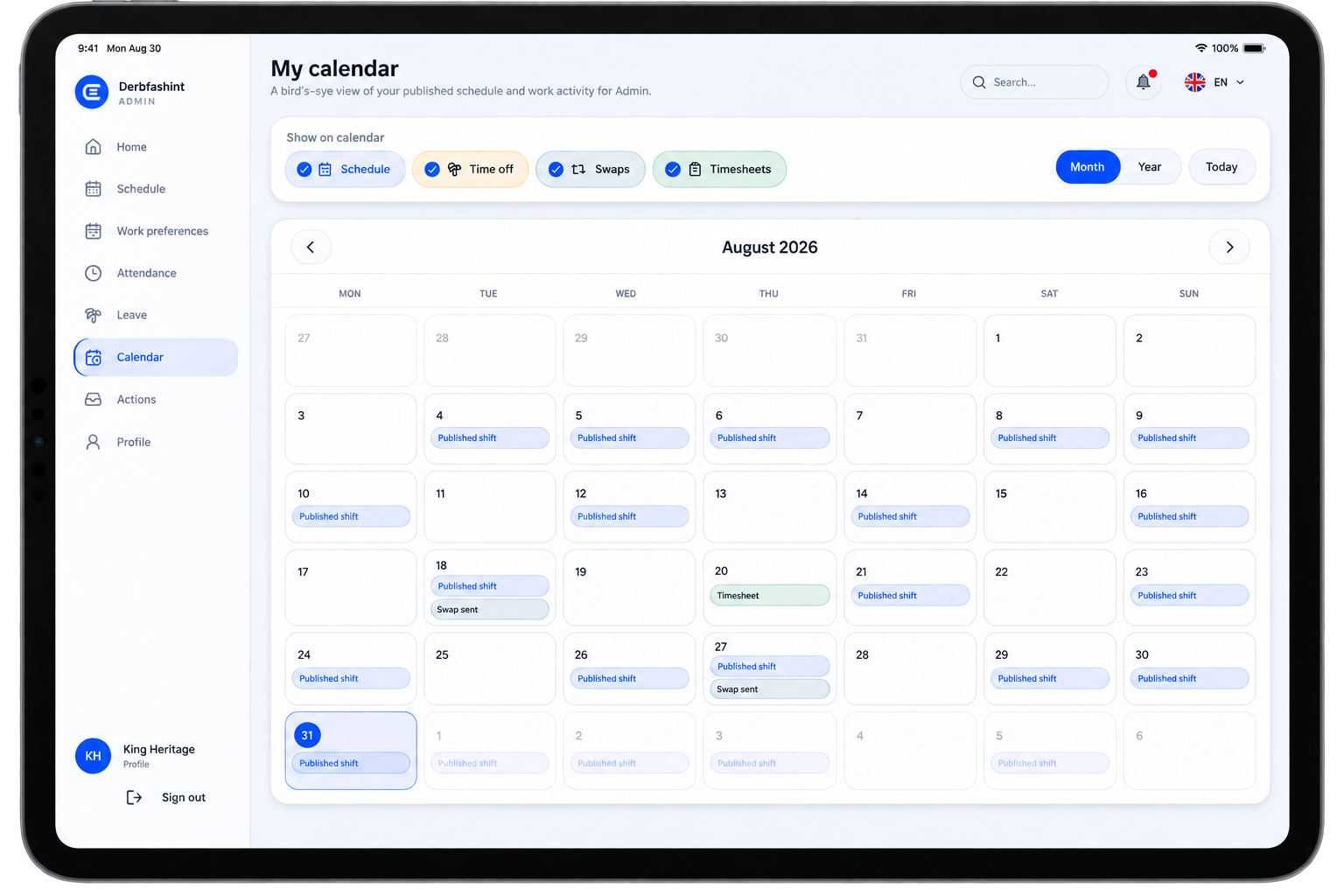
ElShift Employee Hub calendar on iPad showing published shifts, time off, swaps, timesheets, and month and year controls
Employee Hub calendarPublished shifts, time off, swaps, and timesheets in one employee calendar.
Straightforward pricing

Clear pricing before you commit.

Starter is €30/month, Professional is €75/month, and Business is €125/month. Choose the plan that fits your team now and move up when the operation needs more.

Starter

For focused teams ready to replace manual shift planning and spreadsheets.

€30/ month
Up to 40 active employees
Subscribe to Starter
  • Core employee scheduling
  • Constraint-aware Auto-Assign
  • Scheduling preferences & work patterns
  • Timesheet review
  • Overall schedule export

Professional

For growing operations with more people, locations, managers, and reporting needs.

€75/ month
Up to 69 active employees
Subscribe to Professional
  • Everything in Starter
  • Multi-location scheduling
  • Management members
  • All-employee schedule exports
  • Individual employee schedule exports
  • Custom export logo

Business

For organizations that need department-level management and an employee-facing scheduling app.

€125/ month
Up to 100 active employees
Subscribe to Business
  • Everything in Professional
  • Departments
  • Department management
  • Employee Hub for employees
More than 100 employees

Ask about Enterprise.

Contact ElShift to discuss organization size and deployment requirements beyond the self-service limits.

Contact ElShift
See ElShift with your team

Bring us the scheduling problem you want to stop solving by hand.

Schedule a free trial around your team structure, coverage needs, locations, working rules, and employee scheduling workflow.